Login Page
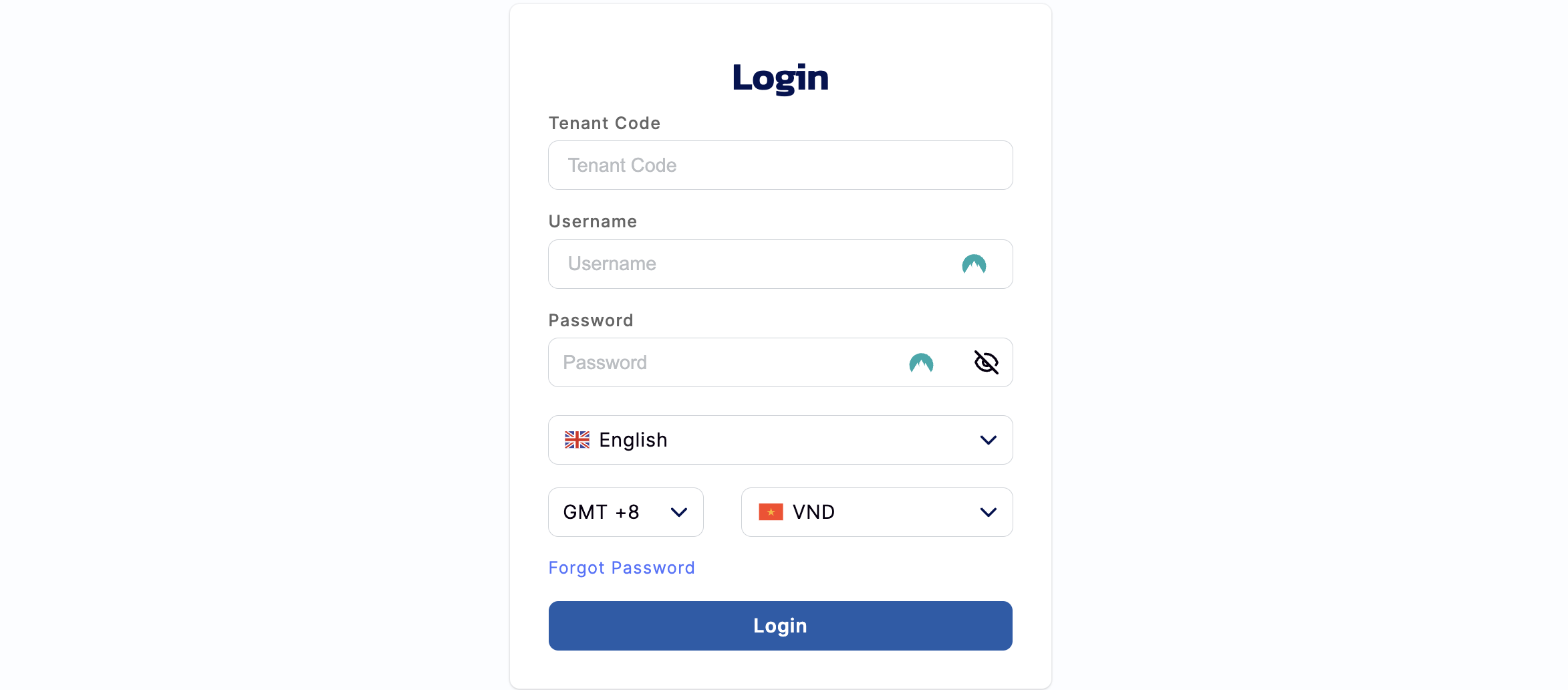
Step 1:
- Fill in the Tenant Code (this field is required).
- Fill in Username and Password to log into the Back Office (these field are required).
- Select Login Language: Select English, Vietnamese, Traditional Chinese or Simplified Chinese from the drop- down menu.
- Timezones available: GMT +1, GMT +2, GMT +3, GMT +4, GMT +5, GMT +6, GMT +7, GMT +8, GMT +9, GMT +9, GMT +10, GMT +11, GMT +12,
- Select your Currency: Please refer to the Exchange Conversion Rates Function for more currency information.
Step 2:
- Press the Login button to log into the Back Office.
Step 3:
- Enter the OTP Code (that has been sent to the mailbox).
Step 4:
- Press the Verify button to log into the Back Office.